Minto
Projects, tasks, docs, files and chat — in one app.
Minto is a project management app for teams who run many jobs at once. You plan projects, hand out tasks, write docs together, chat right on the work and keep every file in the same place — and because it's all one app, a task, its document, its files and its conversation stay together. Open it as a to-do list, a board, a timeline, a canvas, or as folders in your Mac's Finder.
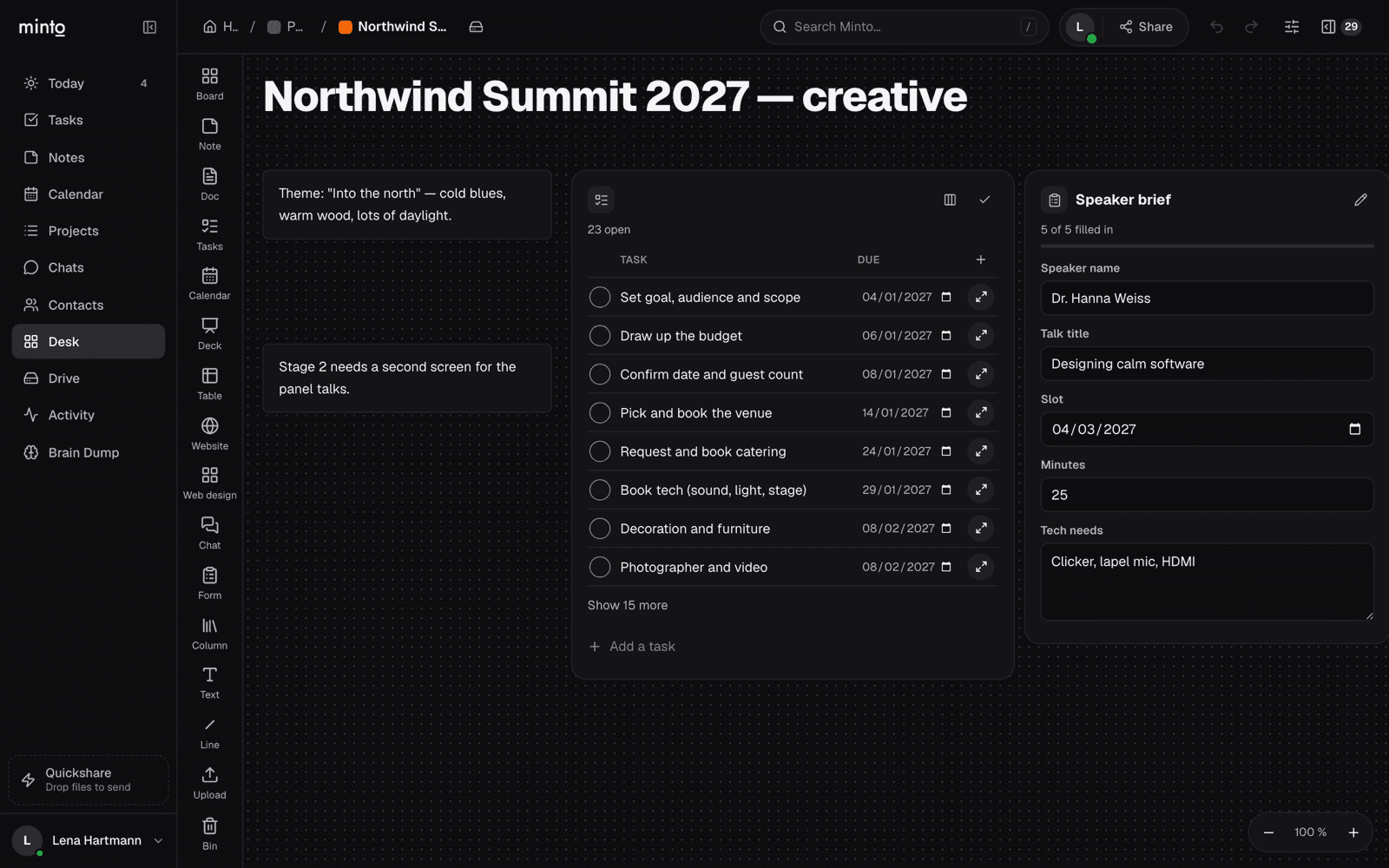 The Desk: notes, a live task list and a filled-in form on one infinite board.
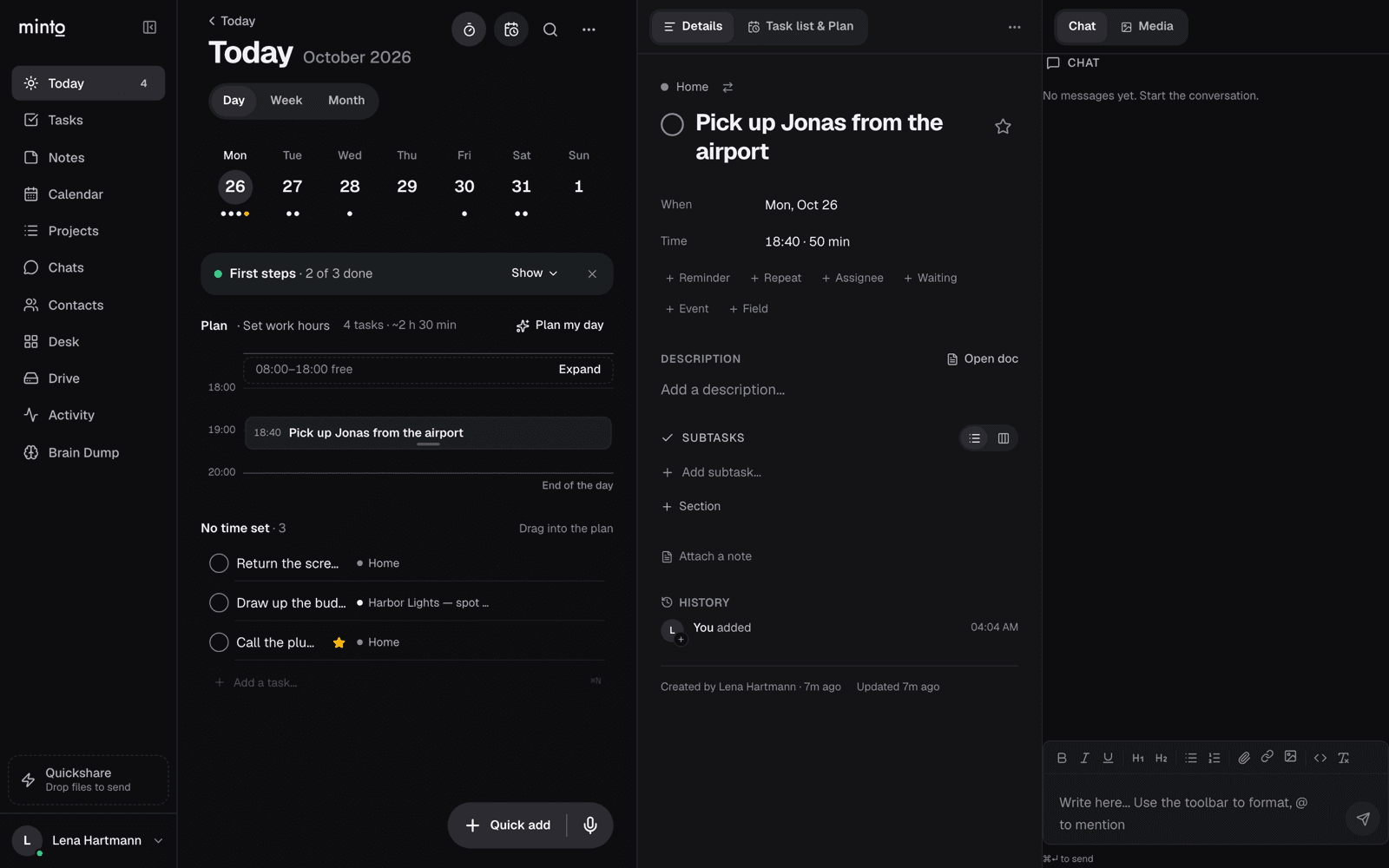 Today: the week strip, a day plan with time slots, and the open task beside its chat.
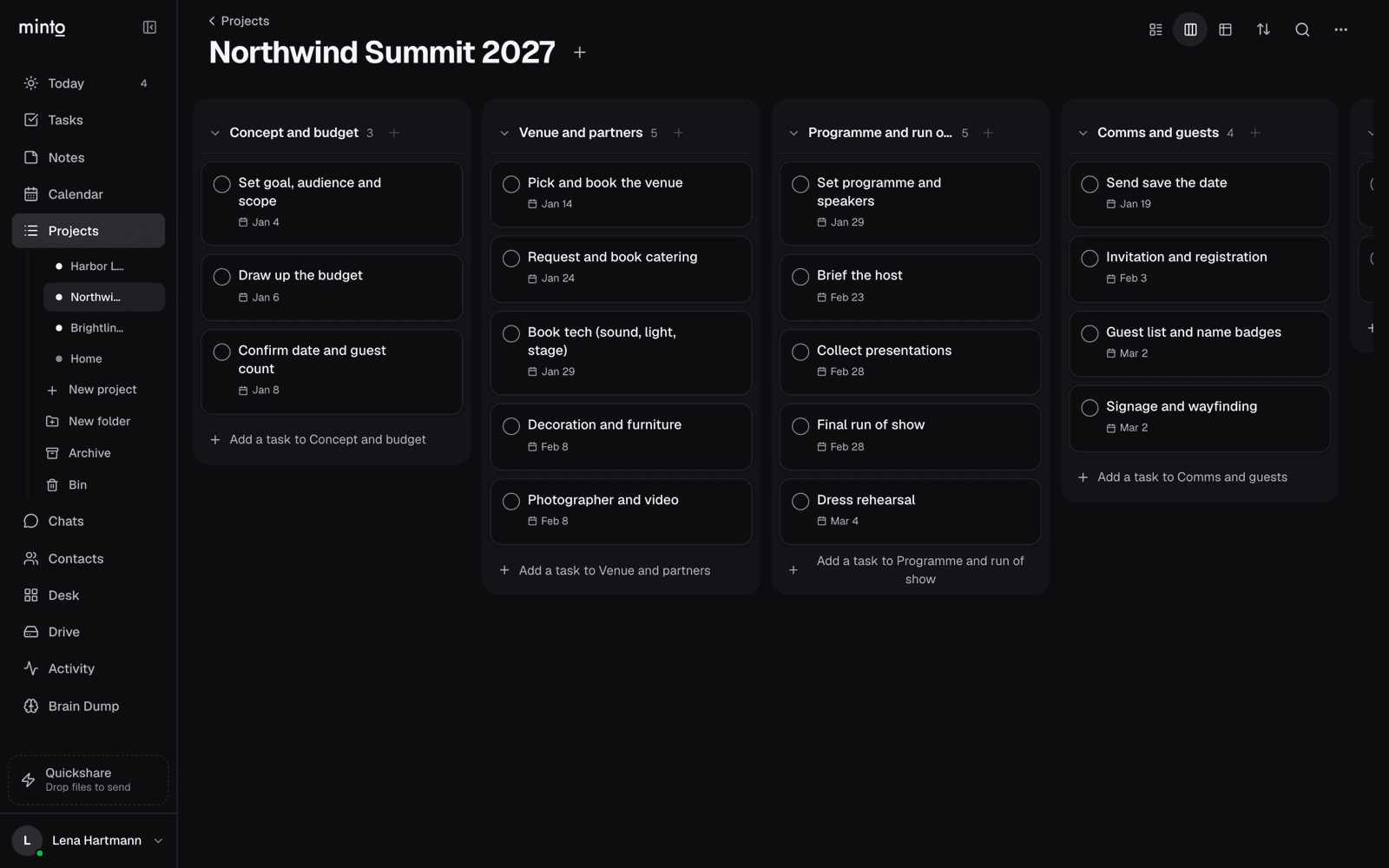 The same project as a board — one column per section, made from the event template.
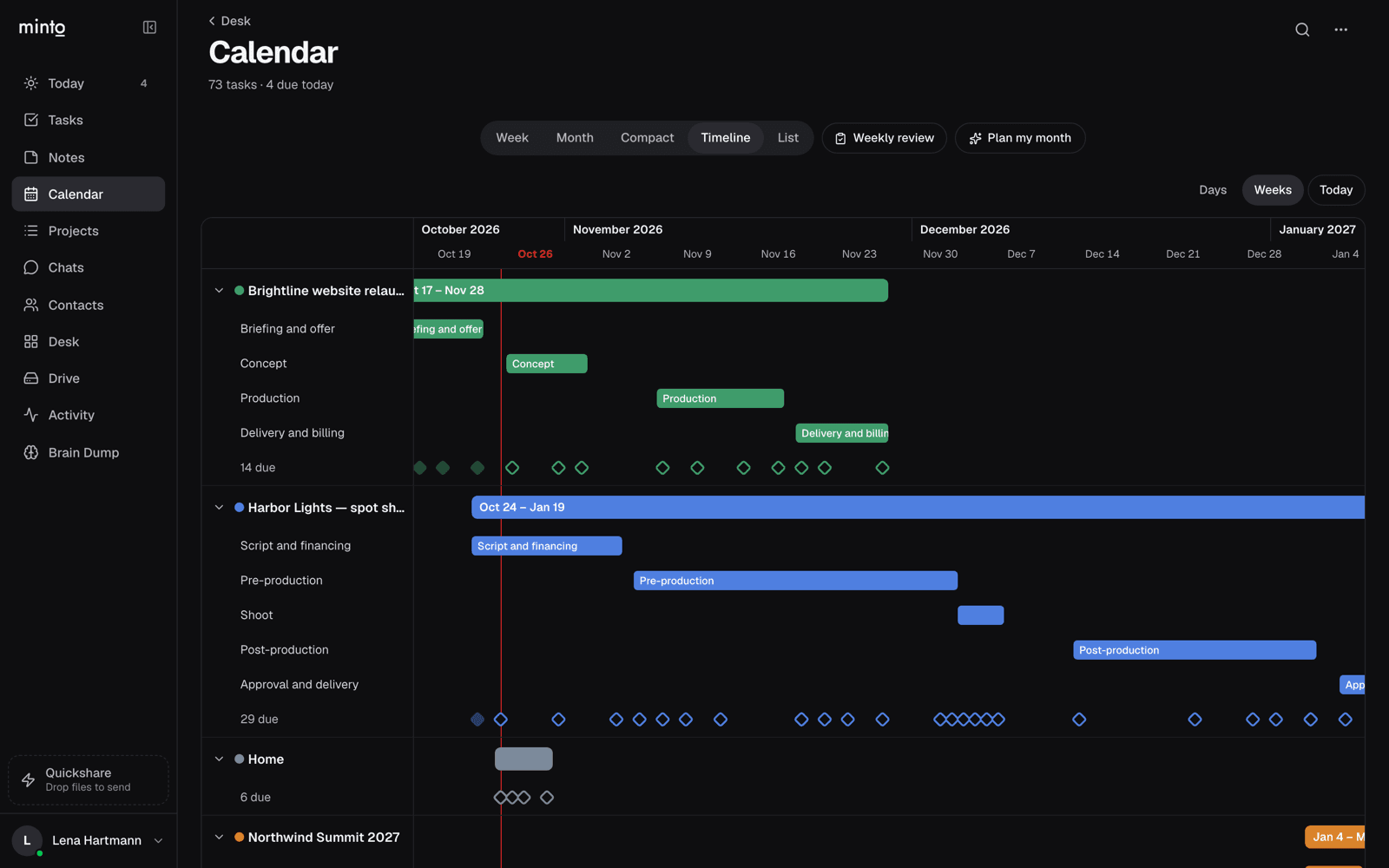 Timeline: every project with its phases and due dates on one calendar.
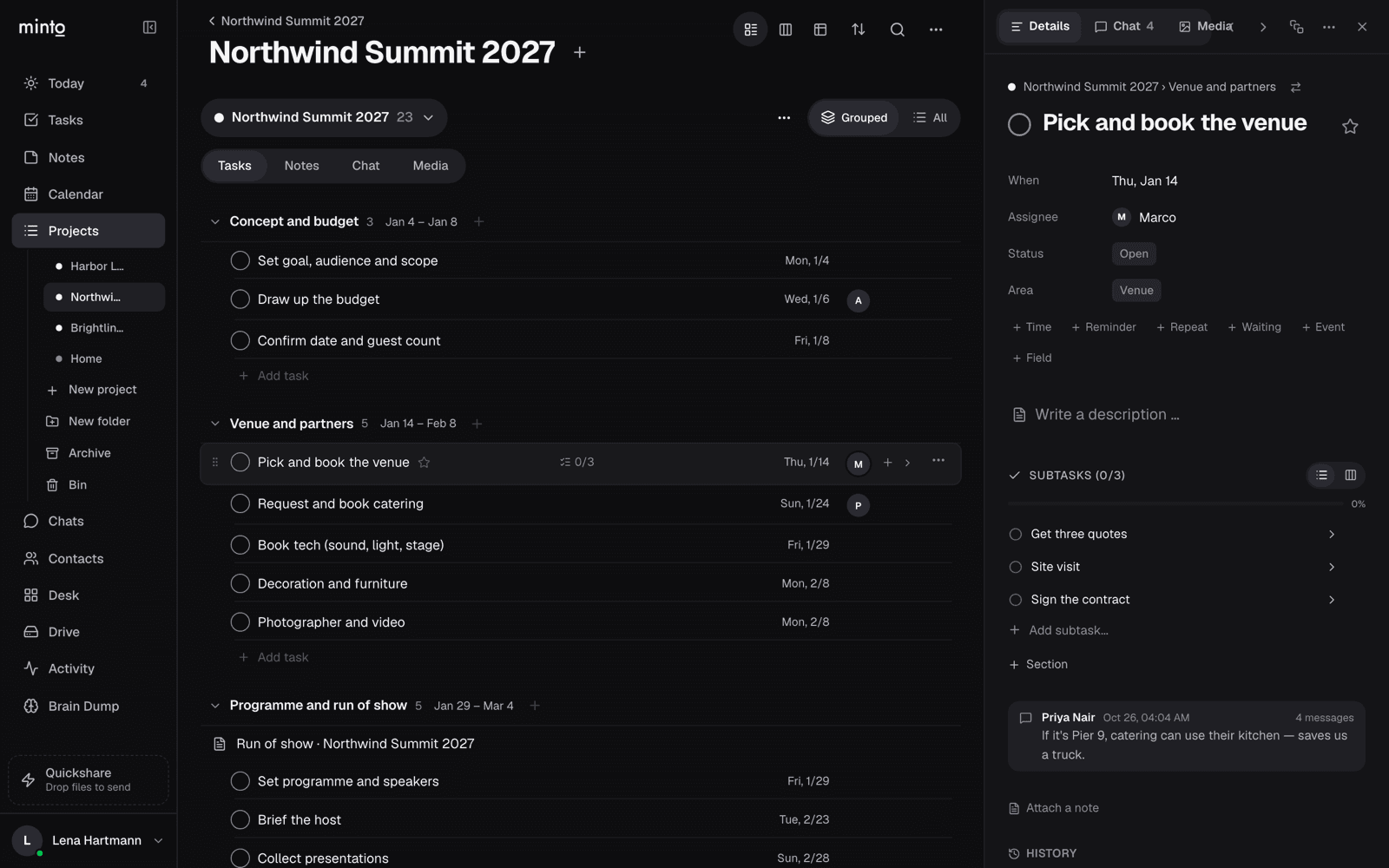 A task with its assignee, section, subtasks and the latest chat message.
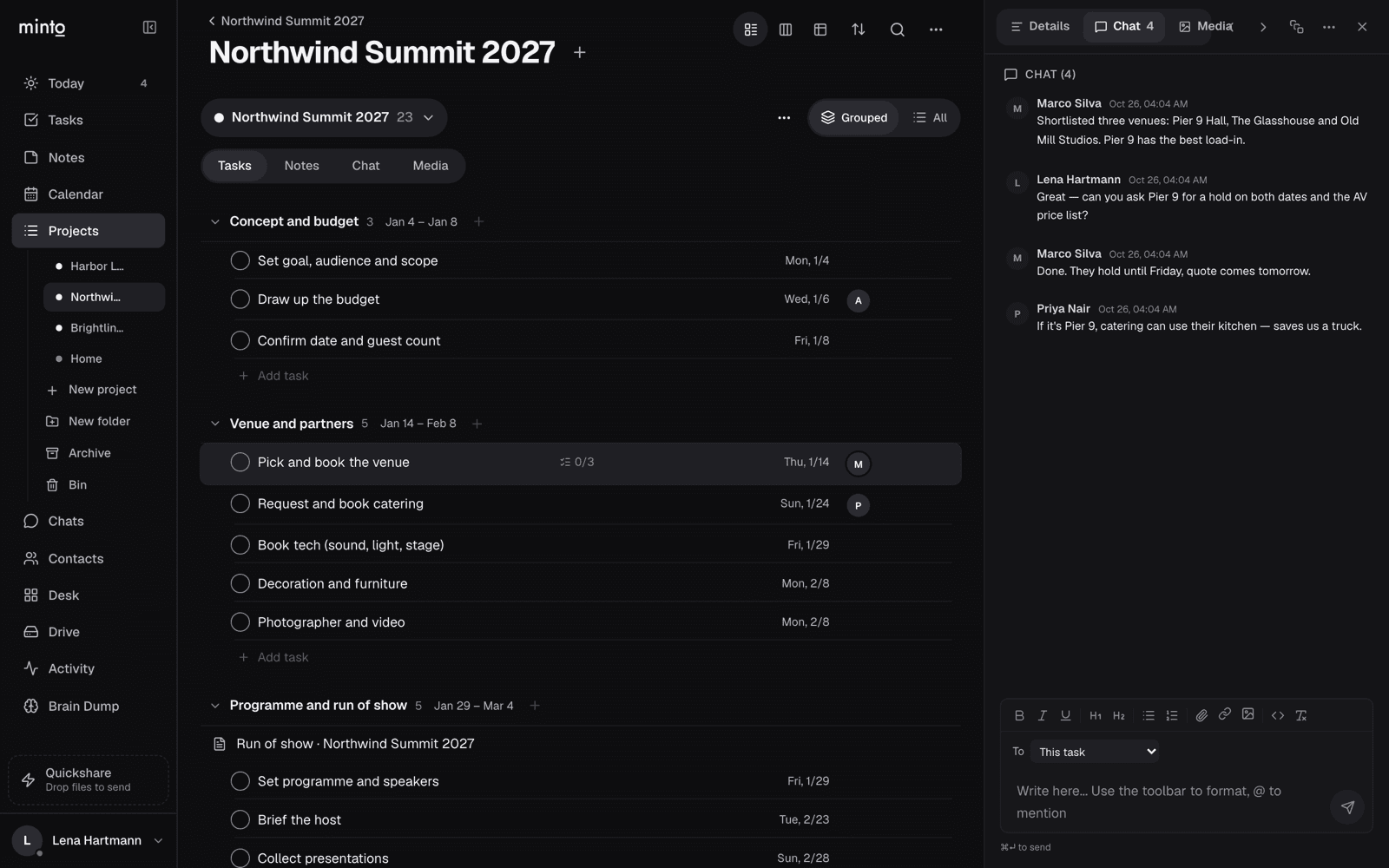 The team talks it through right on the task.
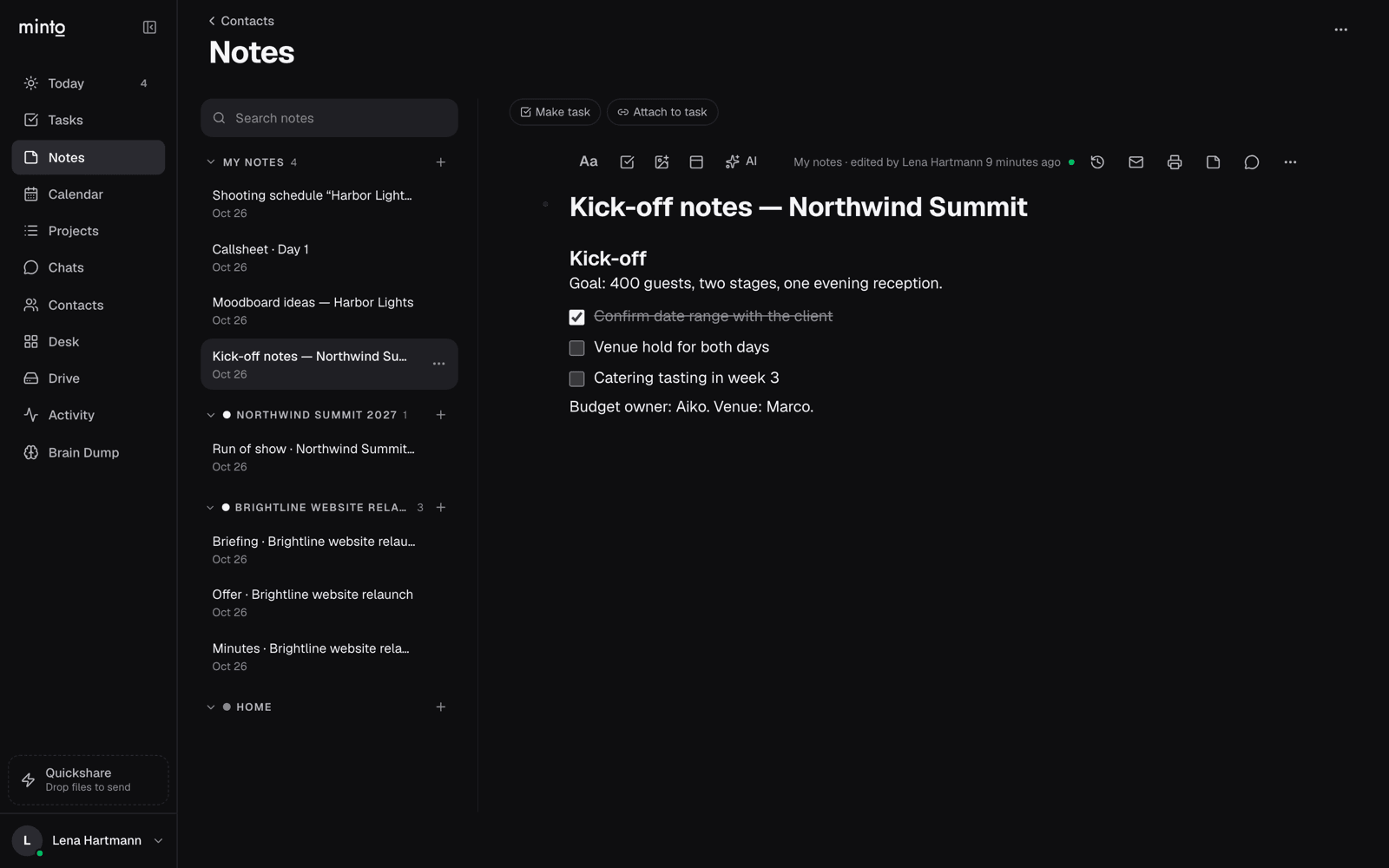 Notes: a kick-off doc with a checklist, next to the project docs.
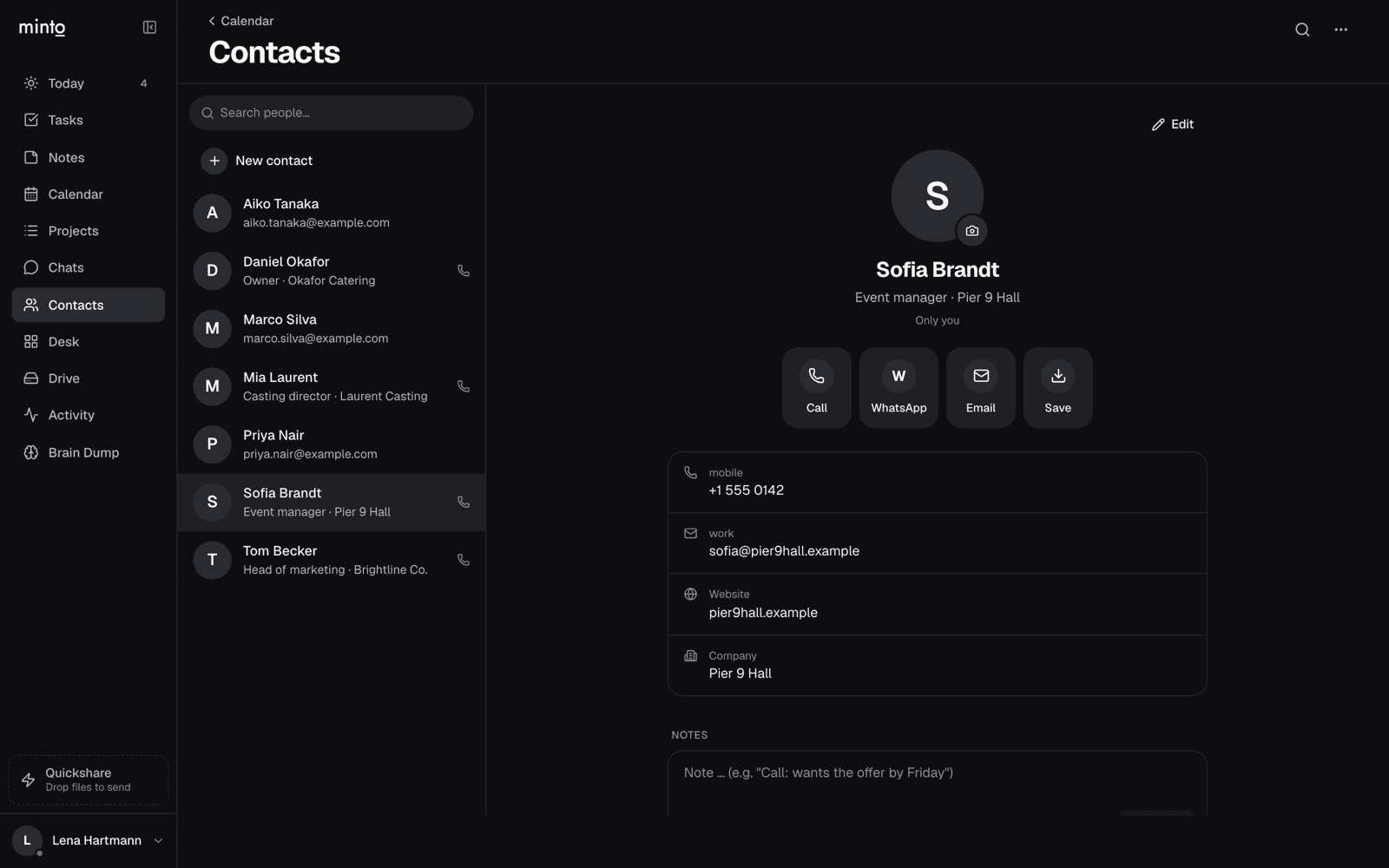 Contacts: teammates and outside contacts in one list.
How Minto works
Change it once. It changes everywhere.
In Minto a task isn't copied into a calendar, a board and a folder — it is one thing, and each screen is a different way of looking at it. Move the venue booking to Monday, and Today, the board, the timeline, the Desk and the Drive folder all move with it.
Status
BETA OPENPlatforms
Web · macOS · Windows · iOS · Android
Built with
Next.js · Postgres · Yjs · Tauri · Capacitor
The idea
Everything in one place. Seen the way you need it.
Say you're planning an event. Booking the venue is one task in Minto. It shows up on your Today when it's due, on the project board in its column, on the timeline as a date, on the Desk next to the floor plan — and its contract sits in the project's folder in Minto Drive and in your Mac's Finder. Move the date once and it moves everywhere. Nothing is copied from one tool into the next, so nothing goes out of sync: it's all organized, linked, findable, timed, managed and checked.
Organized.Linked.Findable.Timed.Managed.Checked.
Minto
Tasks, projects, docs, files, chats and contacts — saved once.
Every view on the right is the same work →
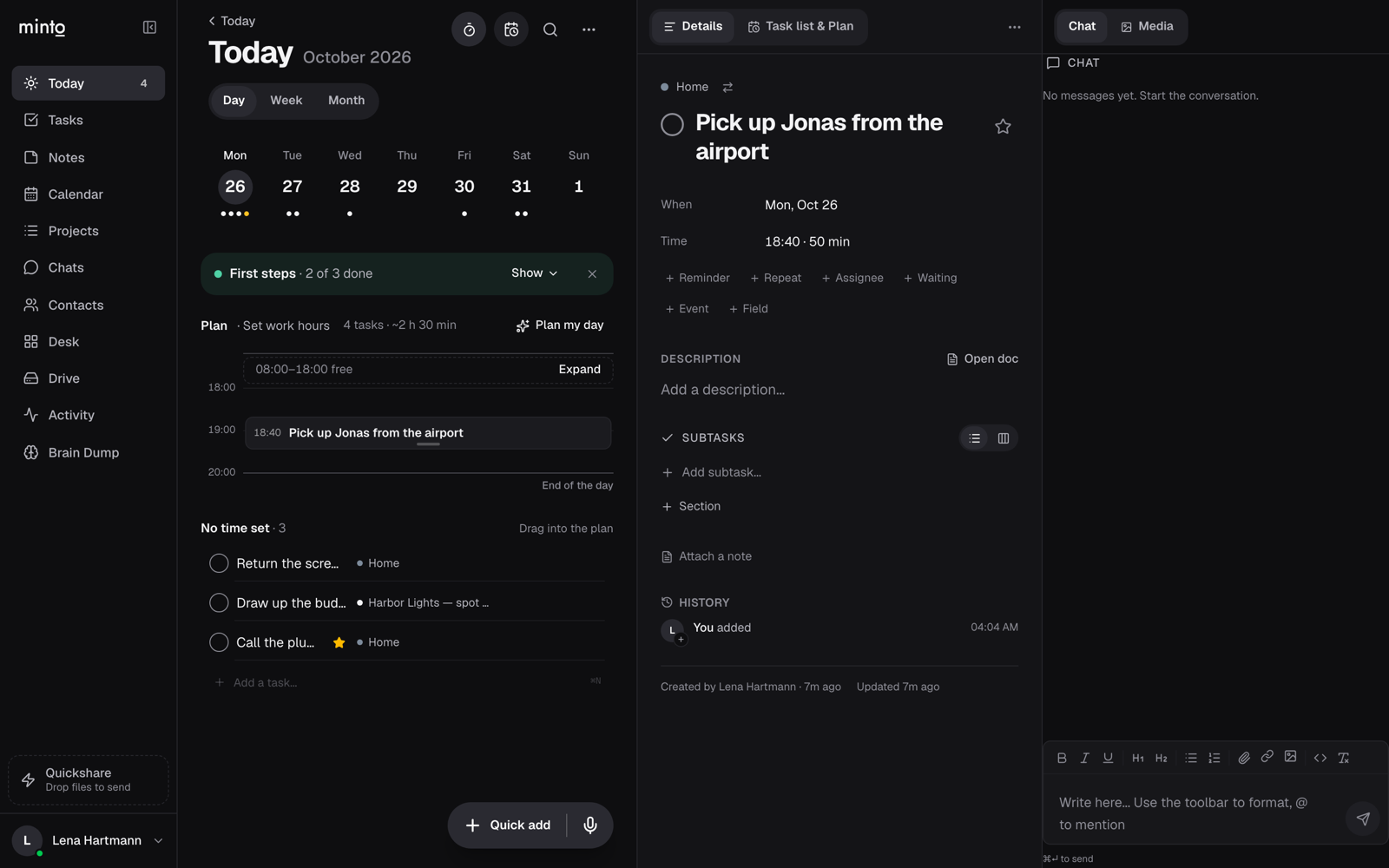 TodayYour day, timed on an hour grid.
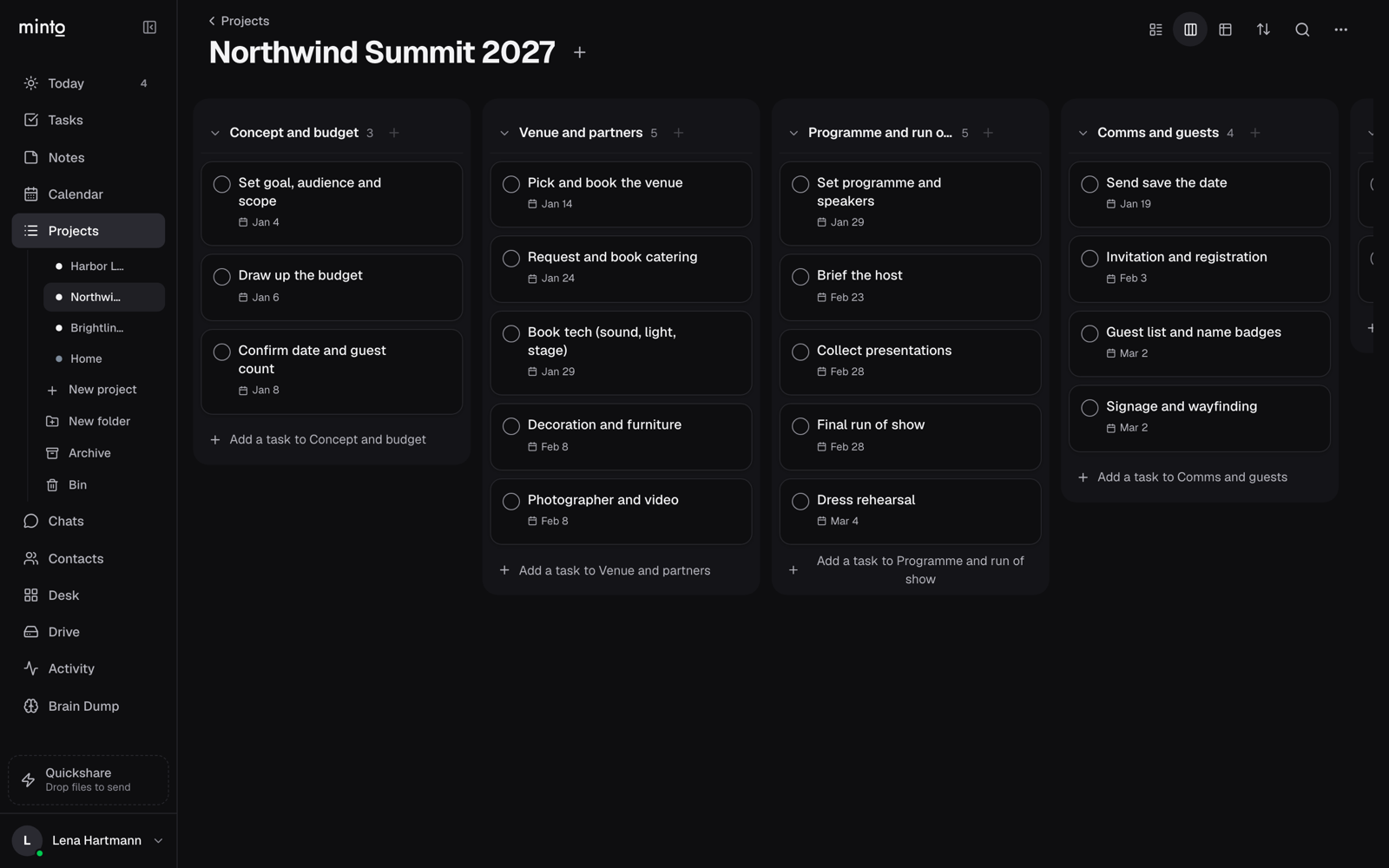 BoardA project, one column per section.
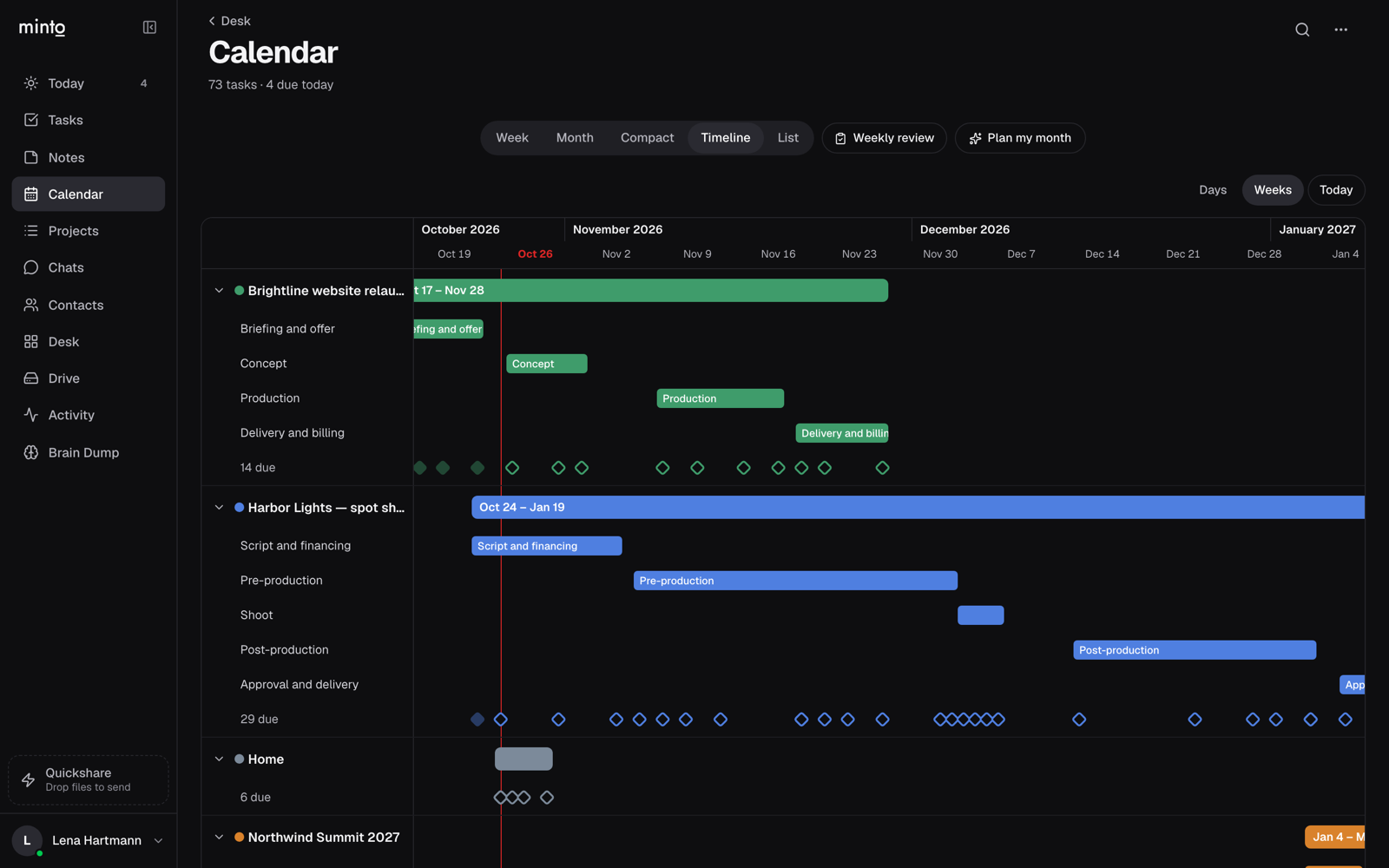 TimelineEvery project and its phases, in time.
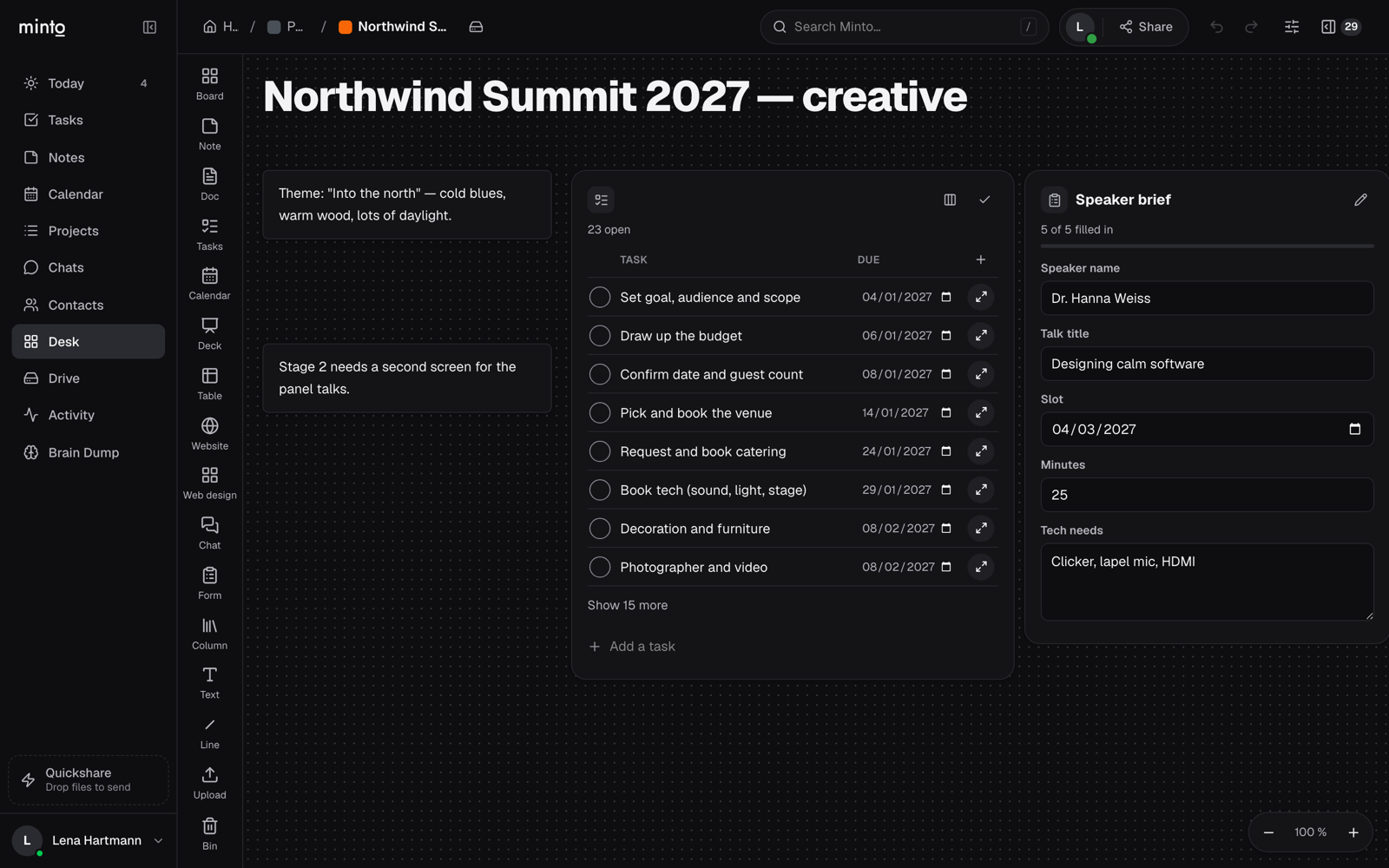 DeskNotes, live tasks and forms on one infinite board.
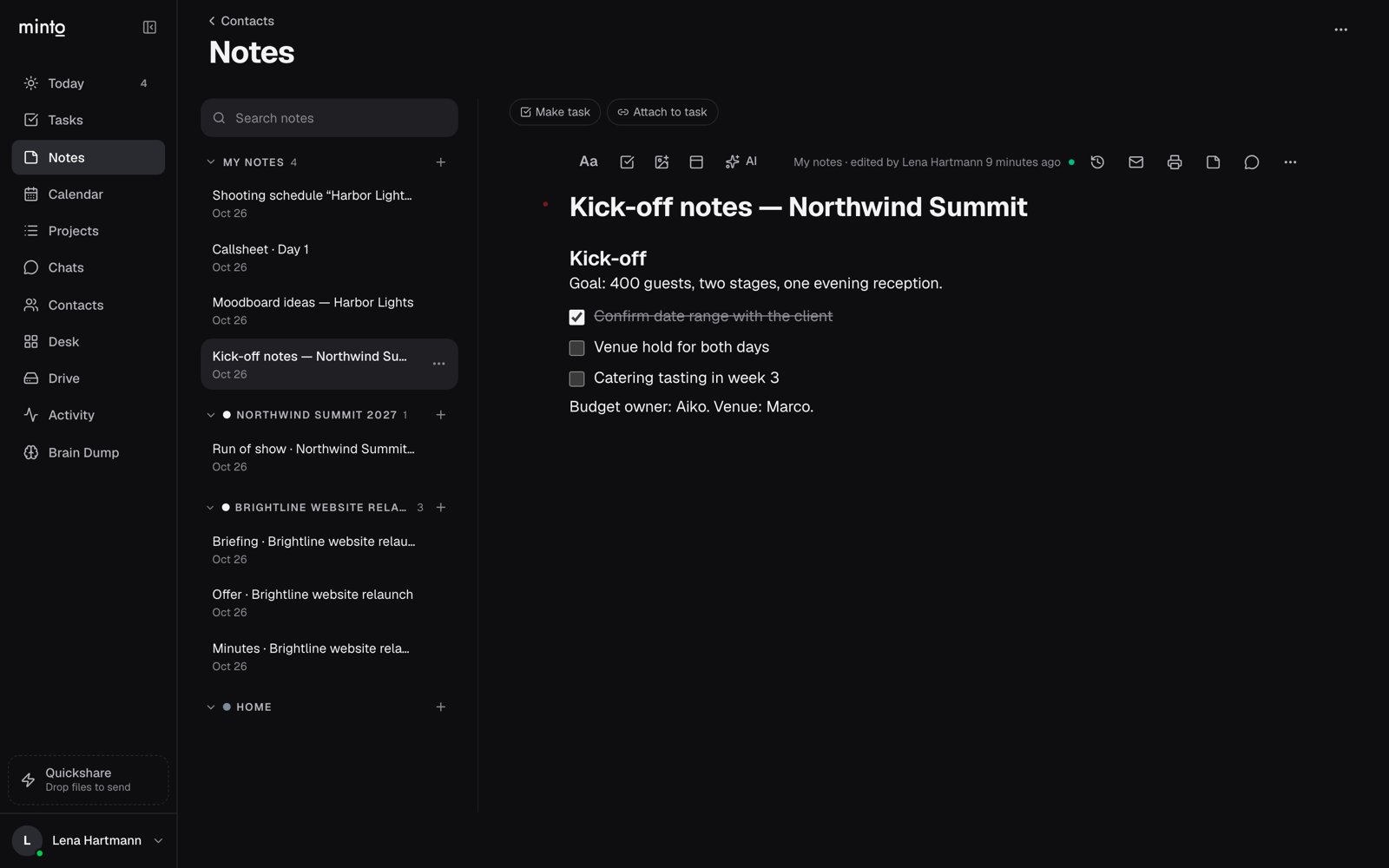 DocsThe doc on top of every task.
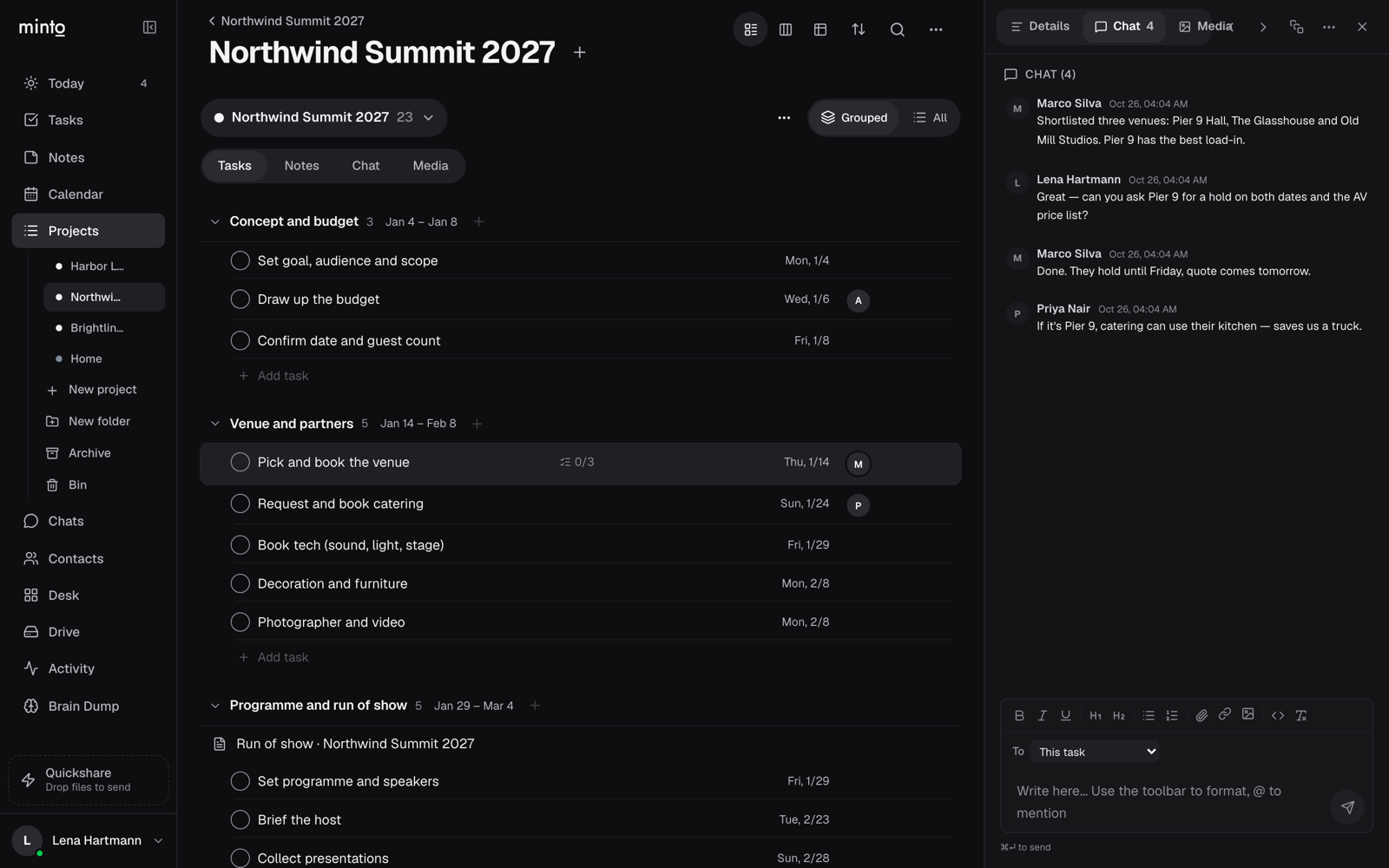 ChatThe conversation beside the work.
A closer look — every screen
Open minto.to ↗Overview
Minto is one source of truth for a team's work. A task, its doc, its files and its chat are one thing, saved once — and every screen in Minto is just a different view of that same source. Change it anywhere and it is changed everywhere.
Look at a project as a list, a board, a table or a timeline. See your day on Today, with a plan on an hour grid, or the whole company on the calendar. Lay ideas out on the Desk — an infinite board where notes, live task lists, forms, tables, decks and website reviews sit side by side. Or open the Drive and find the very same work as folders and files.
Minto Drive goes all the way to the Mac: it shows up in the Finder (and in the Files app on iPhone), so a project folder in Minto is a folder on your computer. Search finds it all in one place, templates time a whole production from its start date, and everyone sees who is on what and what is done. Small teams that coordinate many people — agencies, event and film productions, studios — pay per space, not per seat.
Capabilities
Everything stays together
A task, its document, its files and its chat are one thing — see it as a list, a board, a timeline, on the Desk or as Drive folders.
The Desk
An infinite board for notes, live task lists, forms, tables, decks and website reviews — shared with your team or by link.
Minto Drive, in the Finder
The whole workspace as folders and files, in Minto, in the Mac Finder and in the iPhone Files app.
Timed
Today with a day plan on an hour grid, a calendar and a timeline; templates set every date from your start date.
Managed and checked
Assignees, sections, subtasks, approvals and reviews — everyone sees who is on what and what is done.
Findable
One search across tasks, projects, docs and their text, boards and files.
Linked
Chats on every task and project, backlinks between docs, contacts tied to the work, and a Claude connector.
Access
Beta is open.
Take a seat.
Minto is accepting beta users now. Register and we'll send your access when a slot opens.